
target audience
high school student
software
Figma
status
prototype
Problem diagnosis
Polish high school students struggle with mandatory set texts like The Deluge by Henryk Sienkiewicz because they are imposed, lengthy, linguistically archaic, time-consuming, and often less relevant to students’ interests than other subjects.
Project Goal
The project aims to help high school students quickly and effectively grasp key information from mandatory readings by providing an intuitive, interactive, multi-format tool that saves time, clarifies archaic language, highlights what matters most, and offers a practical, aesthetically pleasing alternative to traditional books.
Simplified User Flow
Clickable prototype
First Contact with the app
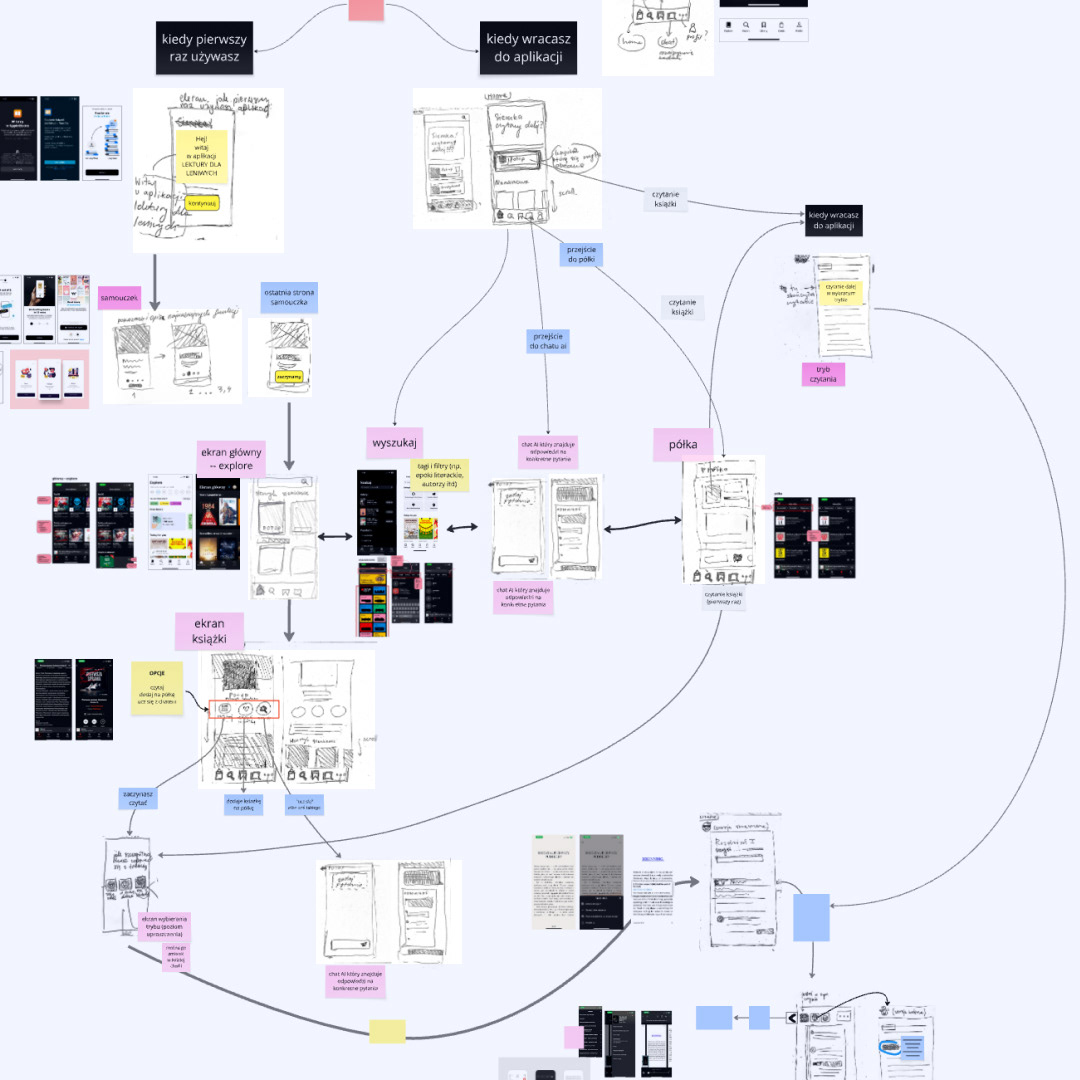
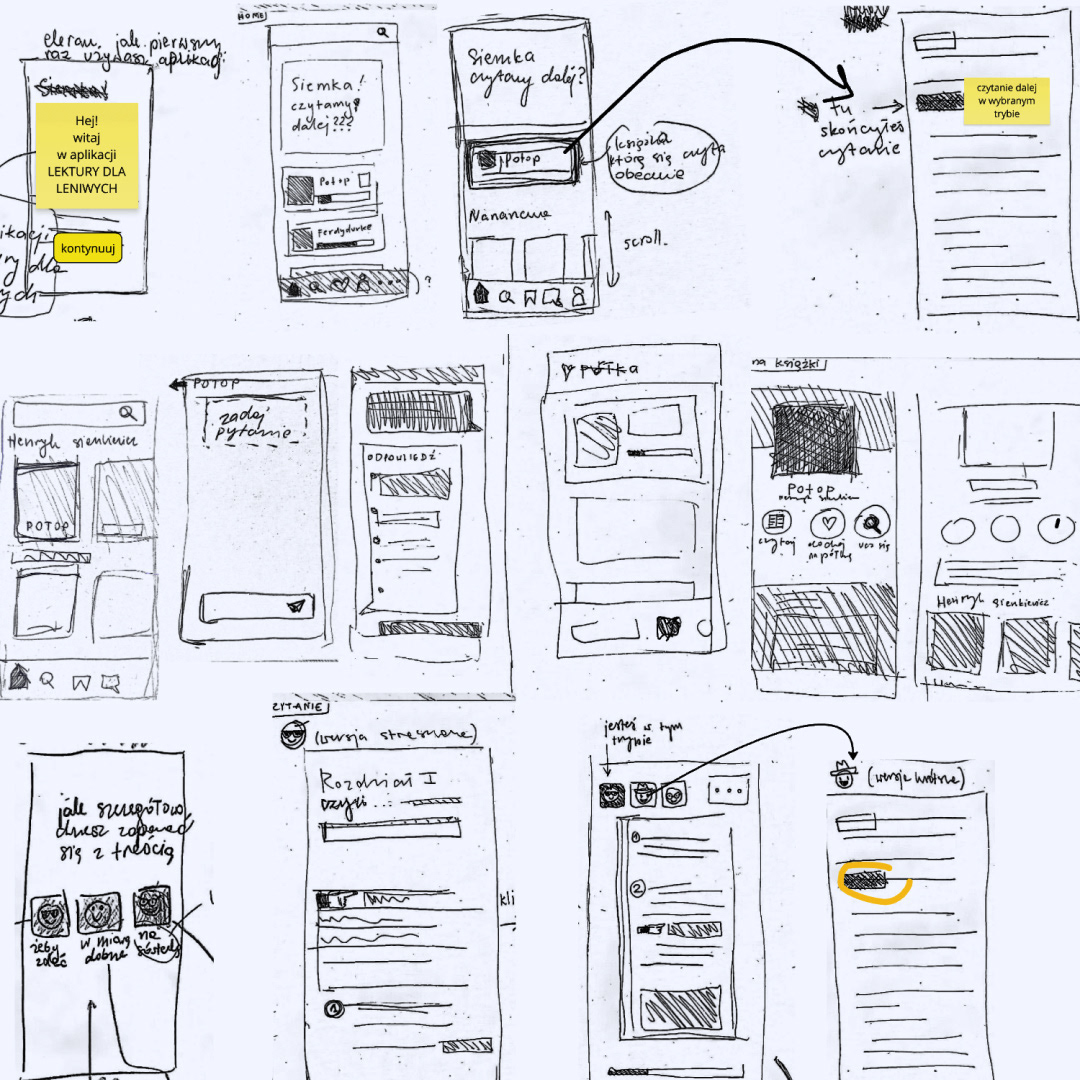
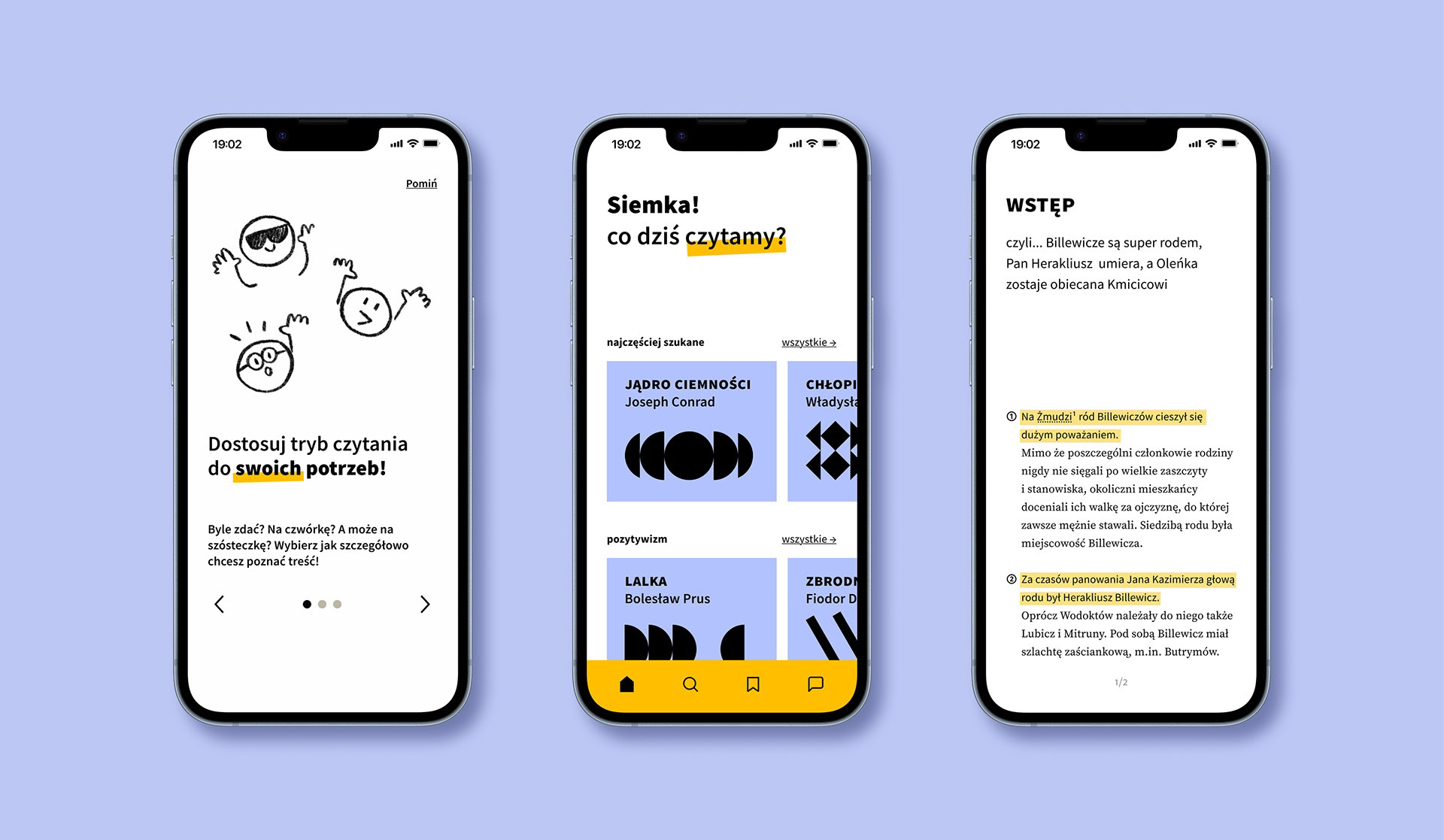
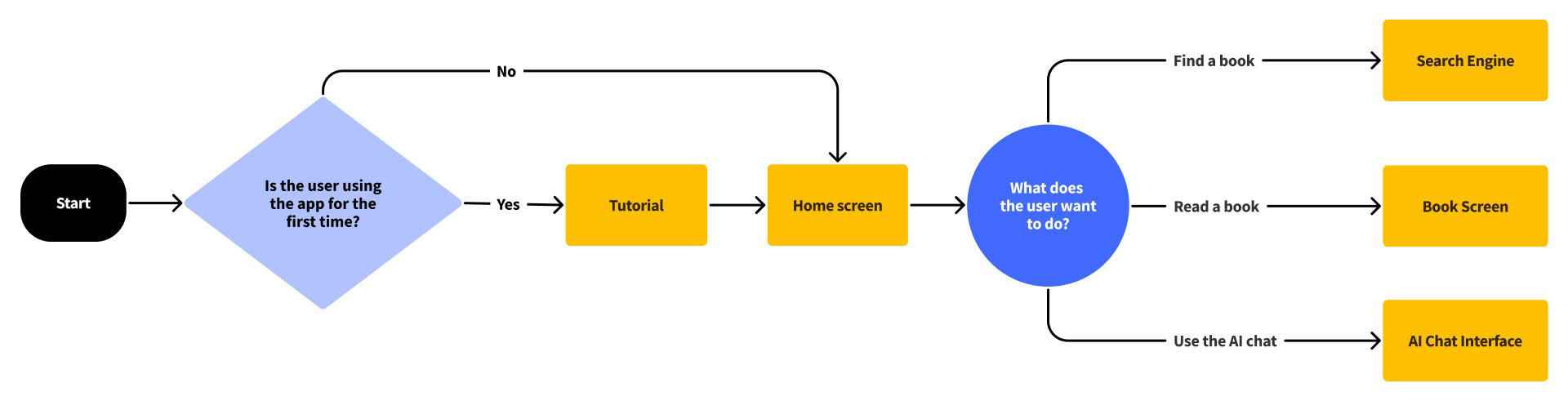
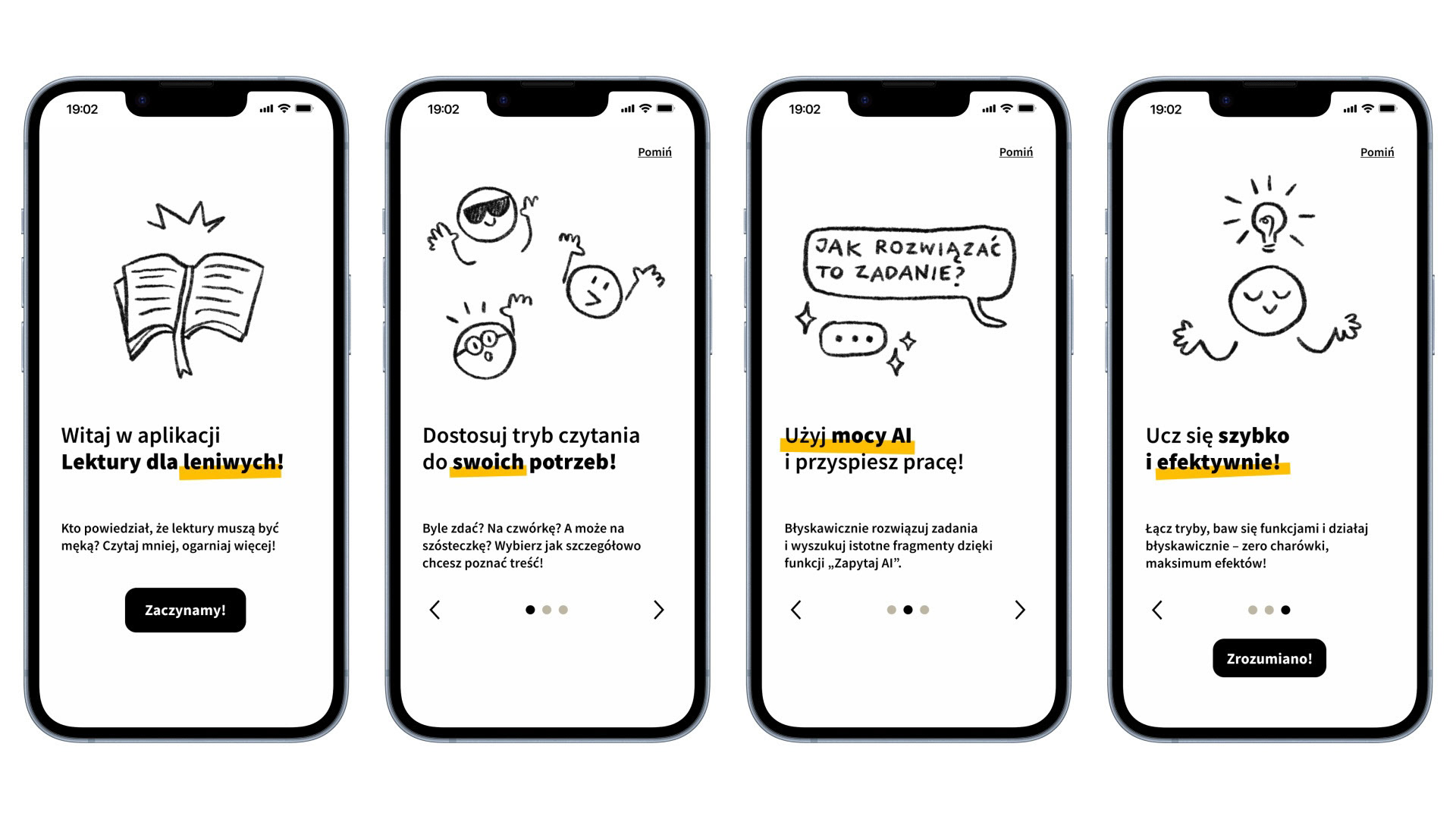
When a user first launches the app, a simple tutorial guides them through its key features.
Home Screen and Search Engine
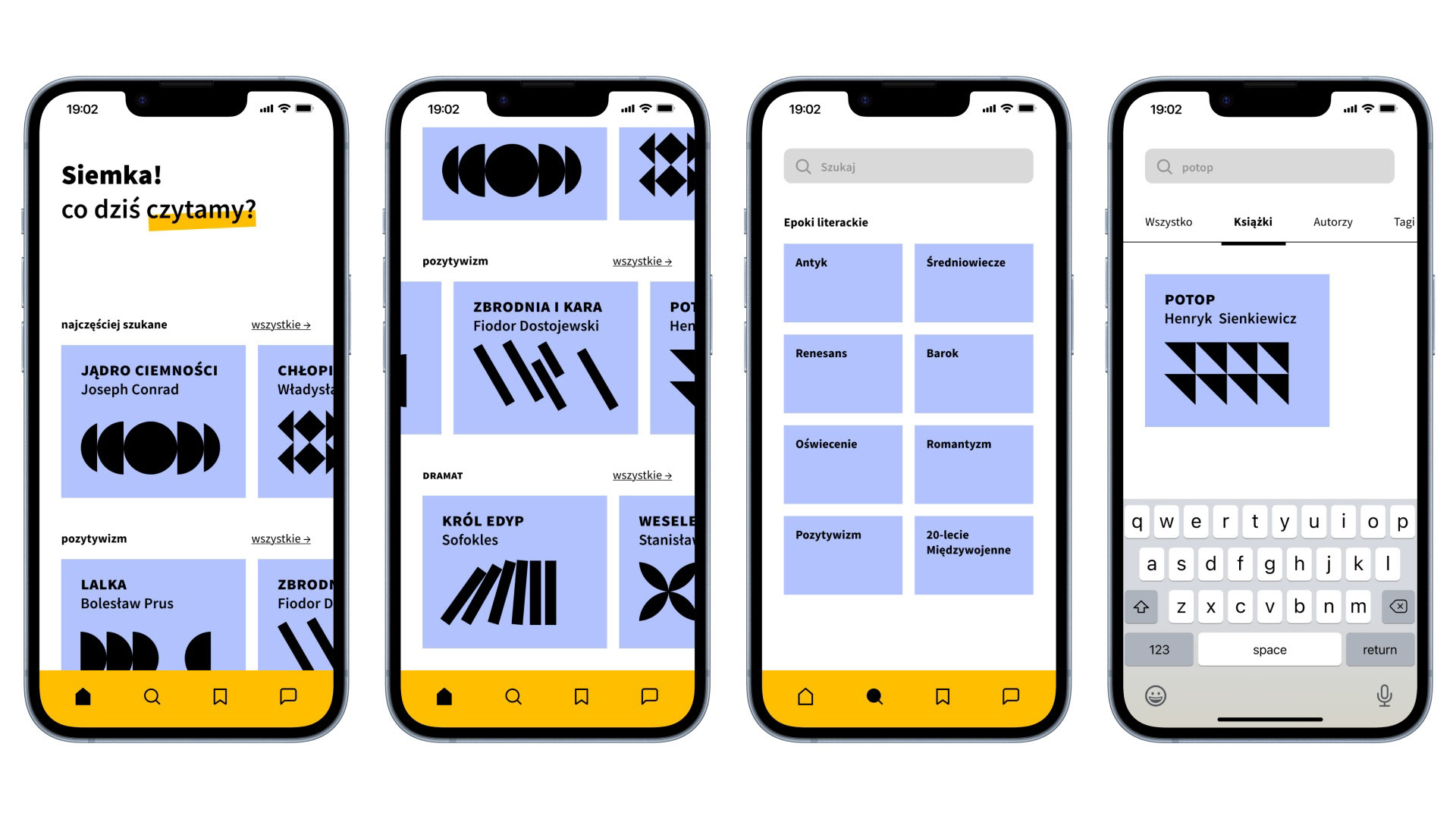
On the main screen, the user can select a book from the suggested categories or use the search function in the bottom menu to find a specific title. They can browse resources within a selected literary era or type a phrase into the search bar to search the entire database.
Book Page and "My Shelf"
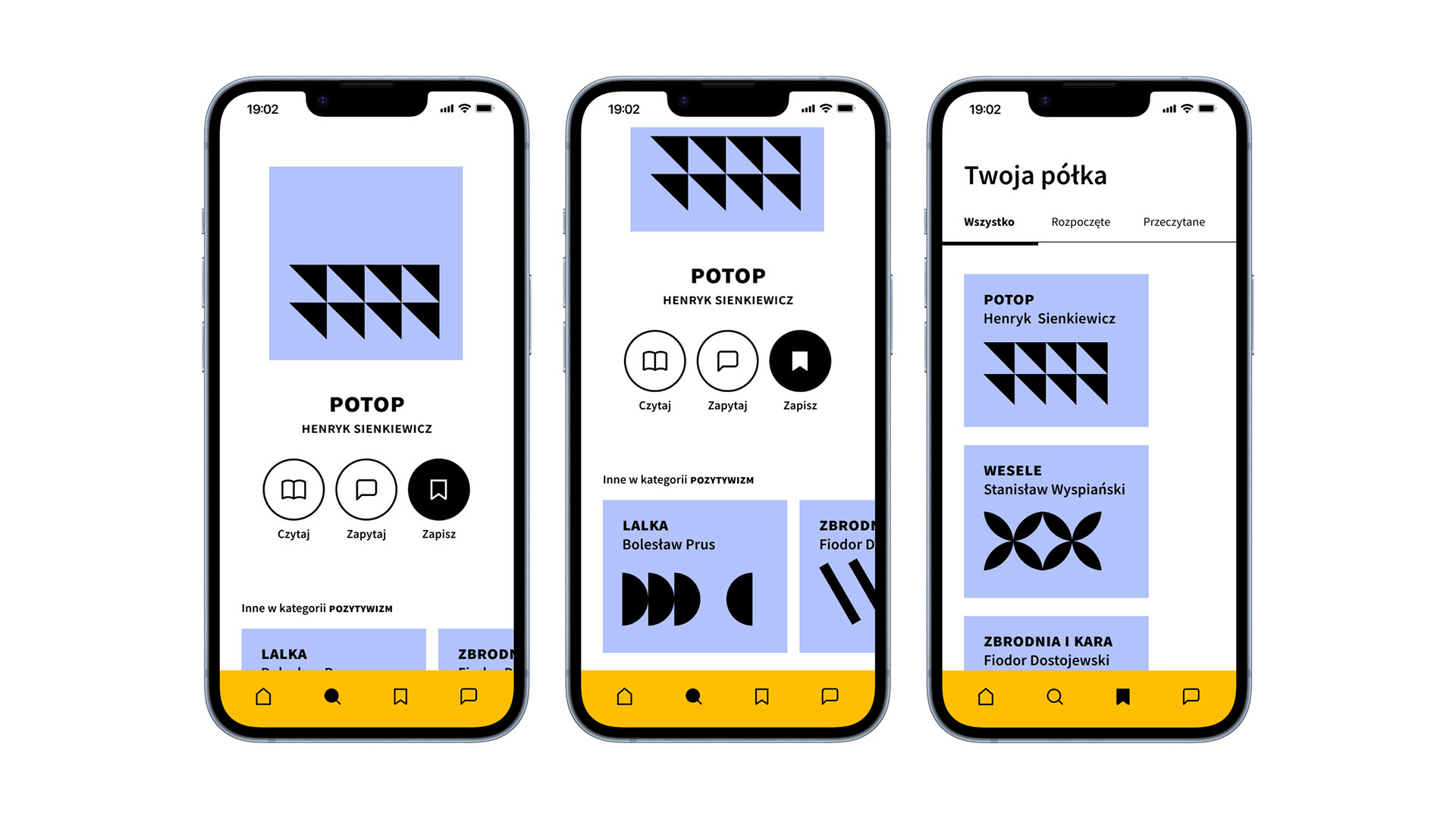
From a book's page, users can immediately add it to their personal "shelf" or choose from other options like "read," "save," and "ask." The "My Shelf" feature organizes all the readings a user has accessed.
Adjusting the Reading Mode
The app stands out from similar solutions with a key feature: the ability for users to choose how detailed they want their reading experience to be. When a user first opens the app, a simple tutorial guides them through how this function works.
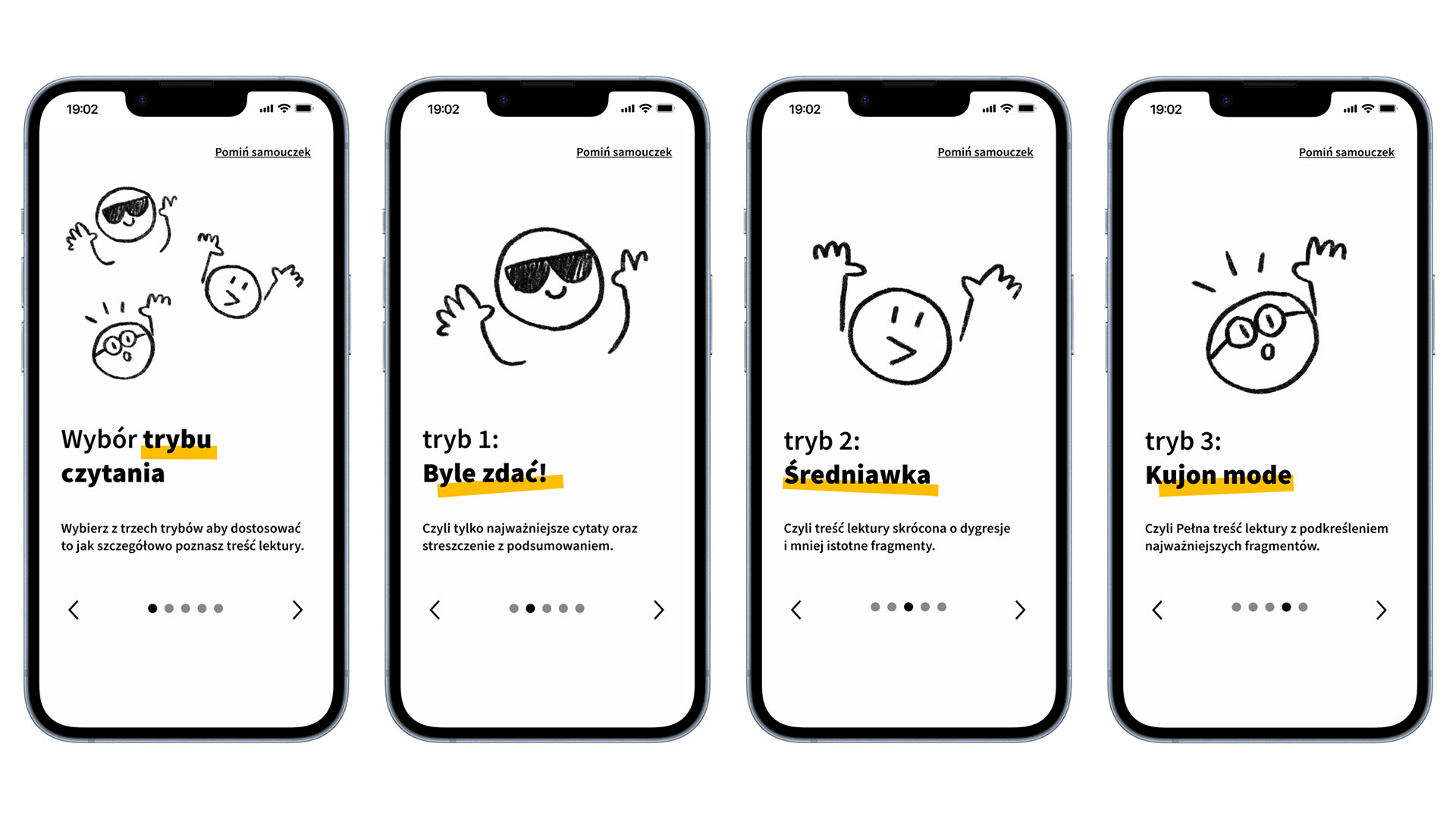
Reading Modes
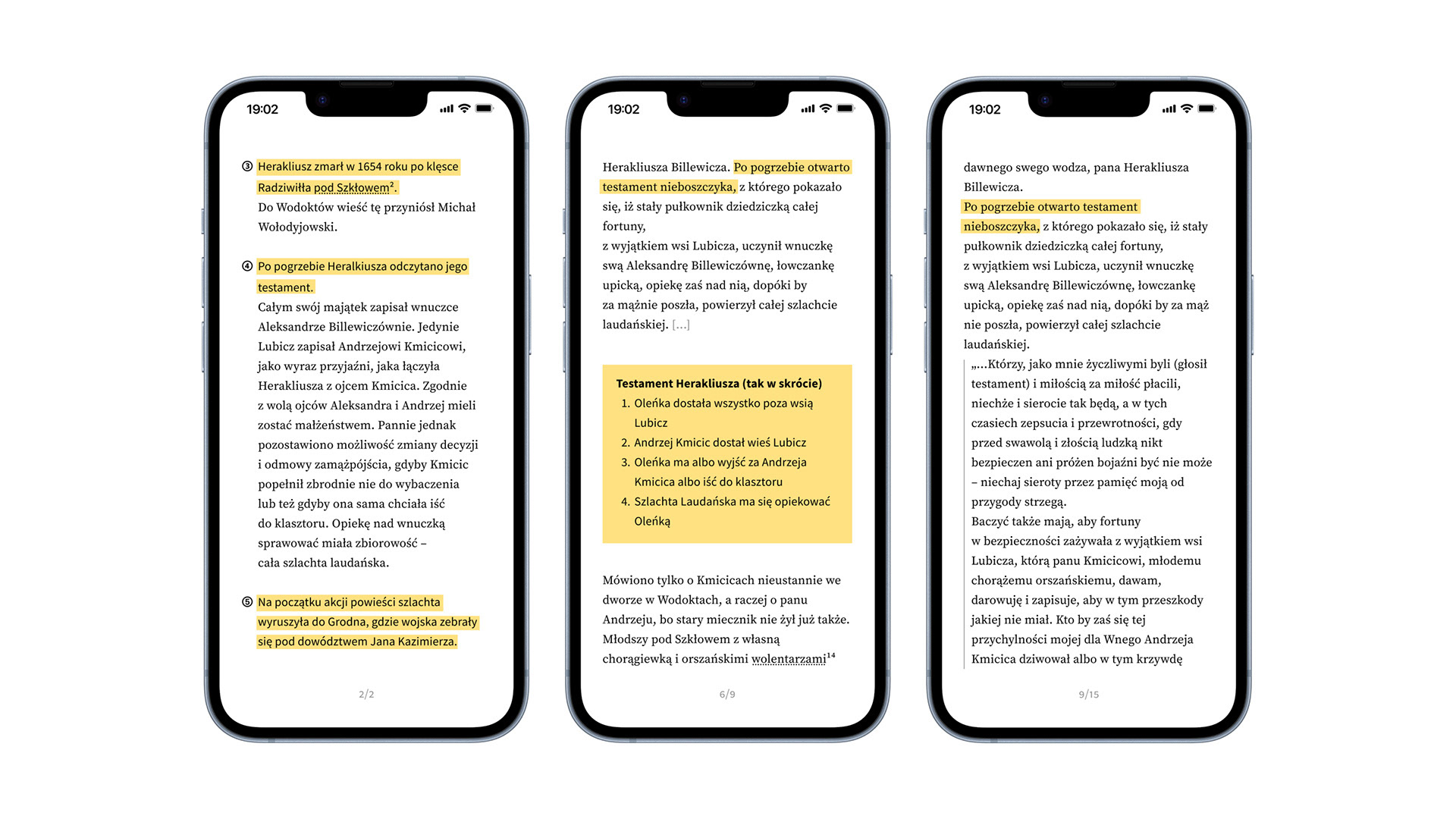
The modes differ in length and format, but they all highlight the same key fragments. This allows users to switch between modes freely and more easily remember the most important events.
Just to pass! mode: Includes only the most important quotes and a brief summary. Middle of the road mode: Provides a shortened version of the text, with digressions and less important fragments removed.
Nerd mode: Presents the full text with the most important fragments highlighted.
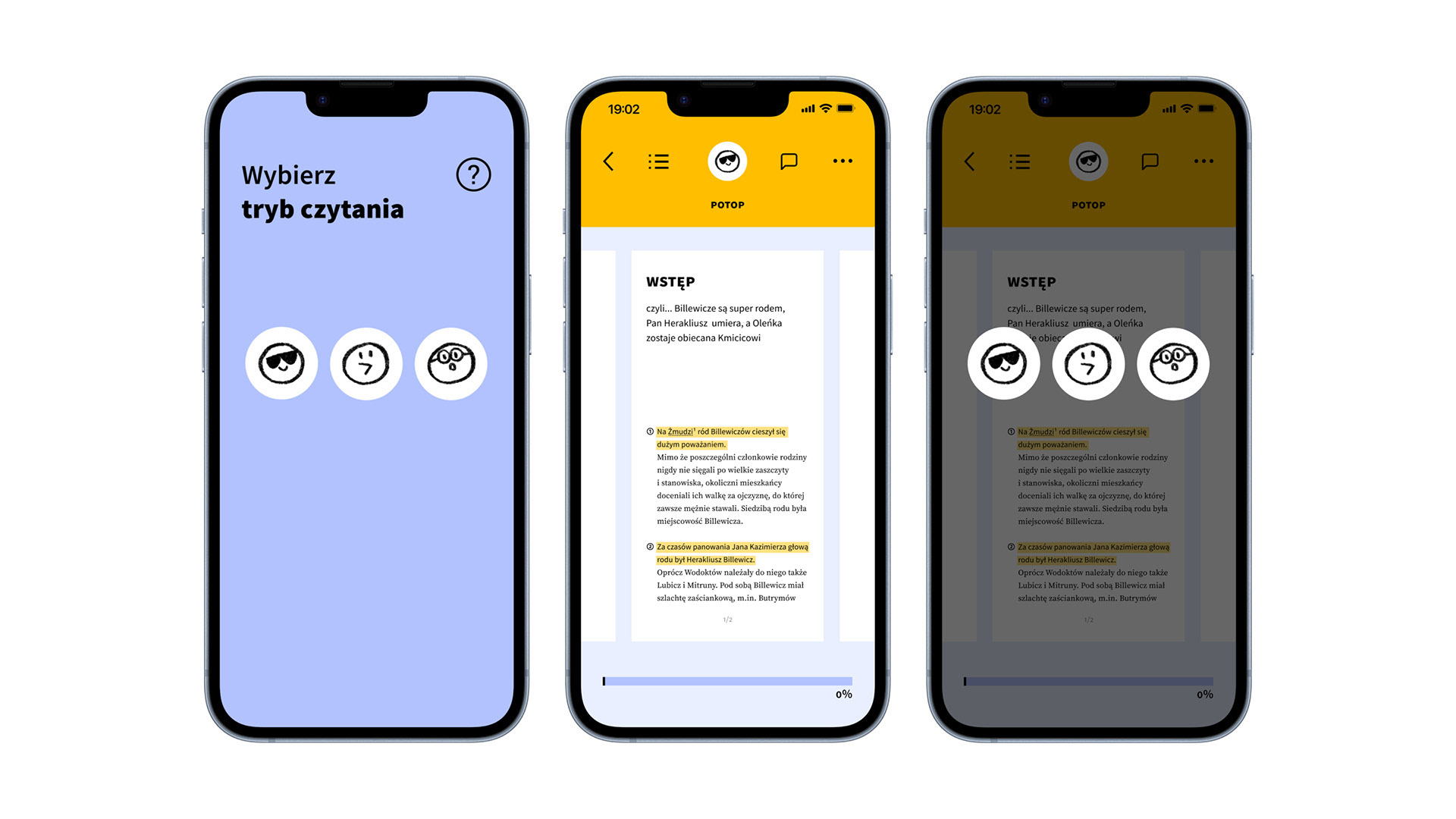
Choosing and Changing the Mode
Users select a reading mode at the start of each book. If they want to change modes while reading, they can do so at any time from the top menu bar.
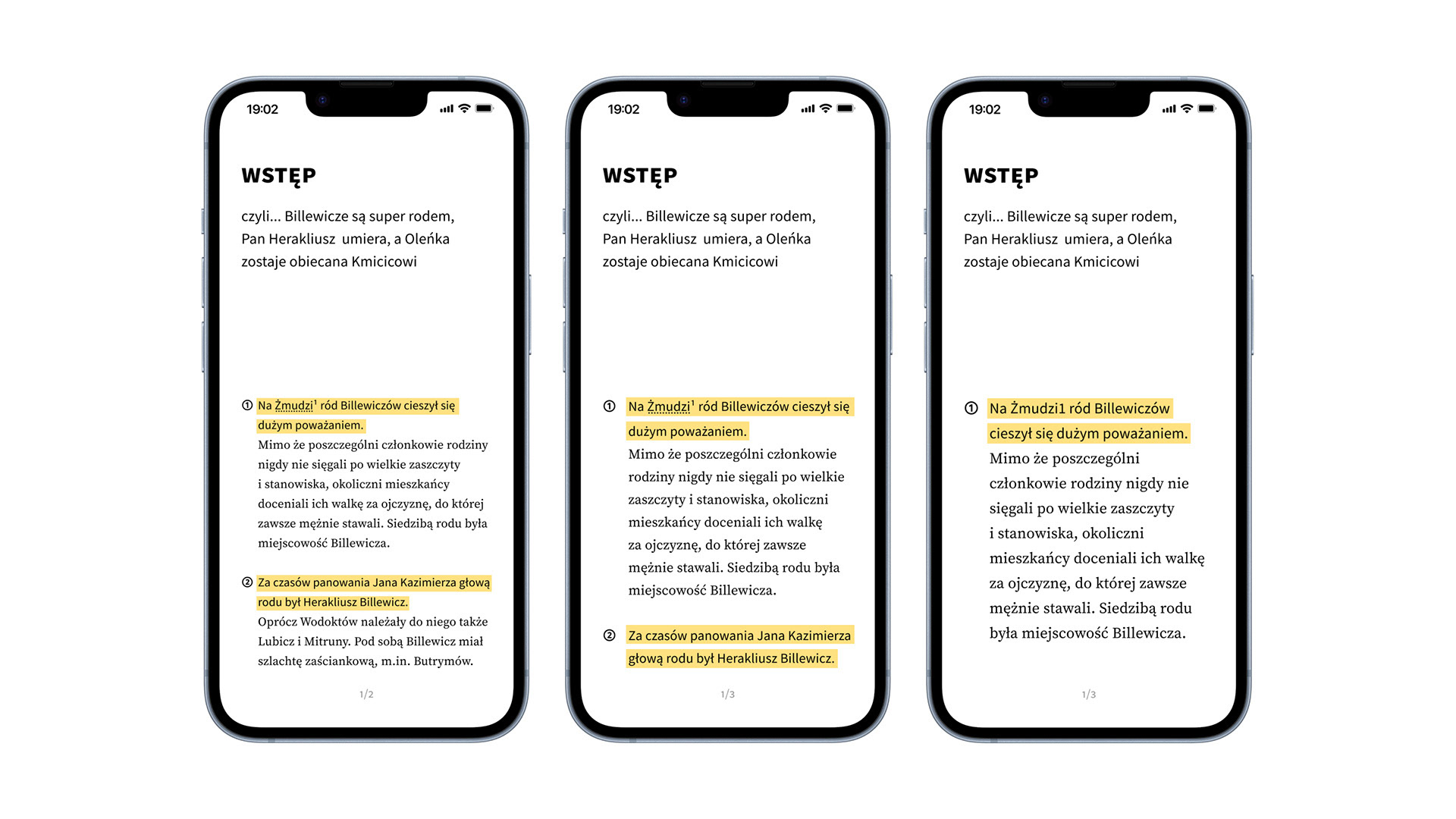
Customization
In addition to the reading modes, users can also customize the reading interface by adjusting the font size to suit their preferences.
AI Chat
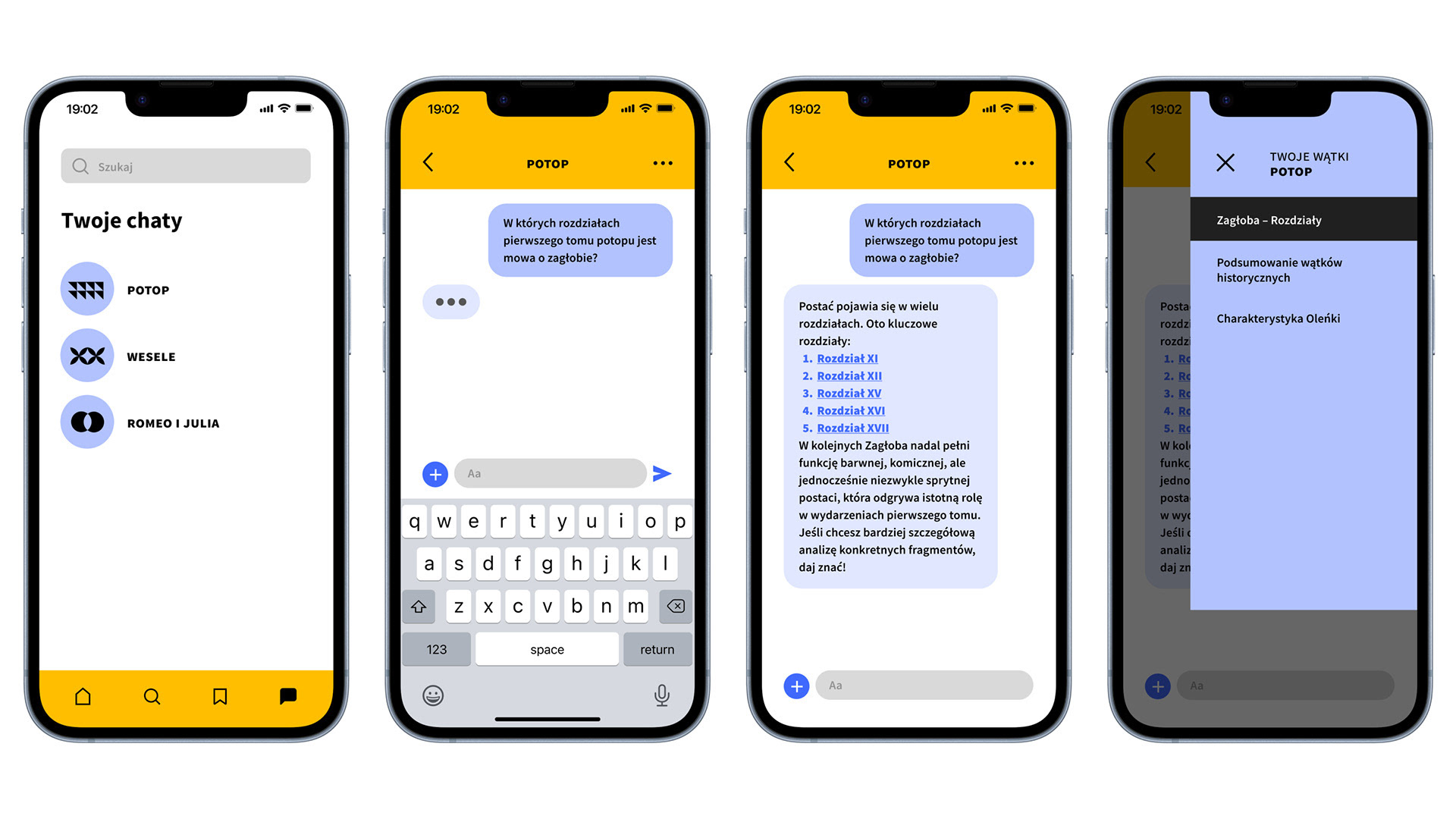
For each book, a dedicated AI chat is available. This AI is trained on the full text and its analysis, providing a powerful assistant for studying. The chat helps users: quickly find information within the text, create personal notes, solve tasks and questions, making it easy and efficient to prepare for class.
Conclusions
I discovered that by moving beyond a one-size-fits-all solution, I could create a flexible and customizable system that addresses a wide range of needs, from the time-crunched student to the highly motivated learner. This project also taught me the value of integrating technology in a meaningful way, using AI not as a gimmick but as a practical tool to simplify a difficult task.